
VPN test: how to check your VPN is working

On this page
To test a VPN, check that your IP address changes, run DNS and WebRTC leak tests, try the kill switch and compare speeds. It takes about five minutes in a browser, and “Connected” in the app is not proof of anything.
Our earlier results (2021–22)
We learned that the practical way in August 2021, when IPVanish sent our DNS requests straight to our internet provider while it showed as connected.
Test 1: has your IP address changed?
- With the VPN off, search “what is my IP” and note the address and location.
- Turn the VPN on and connect to a server in another city or country.
- Refresh the page.
The address and location should now match the VPN server, not your home. If they have not changed, the VPN is not carrying your traffic.
Test 2: DNS leak test
A DNS leak lets your internet provider see every site you visit, even with the VPN on. Your device’s address lookups (DNS requests) should go through the VPN.
- Connect the VPN.
- Open a DNS leak test site such as dnsleaktest.com or browserleaks.com and run the extended test.
- Look at who owns the DNS servers listed.
You want the VPN provider, or a neutral DNS service in the VPN server’s country. Your own internet provider’s name means a leak.
Our results for this check, and the others on this page, are in what our leak tests found.
Test 3: WebRTC leak test
WebRTC, the browser feature behind video calls, can reveal your real IP address even with a VPN running. The same test sites have a WebRTC check. If your real address shows up, turn on leak protection in the VPN app or its browser extension.
Test 4: does the kill switch work?
A kill switch should cut your internet if the VPN drops.
- Turn on the kill switch in the app’s settings.
- Start something that uses the connection, such as a large download.
- Force the VPN to drop: switch Wi-Fi off and on, or change server mid-download.
Traffic should stop until the VPN reconnects. Some apps ship with the kill switch off, so check the setting first.
Check what kind you have, too. NordVPN’s macOS app (tested 14 October 2026) had only an Apps Kill Switch, off by default: it quits the apps you pick, and everything else keeps using your normal connection.
Test a server switch as well, because a switch is not a drop. PureVPN’s kill switch did not cover it: on 21 October 2026 our real IP address showed for about 2 to 3 seconds in each of two server switches. Proton VPN never showed it that day, kill switch on or off.
What our leak tests found
Every leak check we have run is in this table, with its date.
| VPN | DNS | IPv6 | WebRTC | Kill switch | Switching servers |
|---|---|---|---|---|---|
 NordVPN NordVPN | No leak tested 25 Oct 2026 | Could not test tested 25 Oct 2026 | No leak tested 25 Oct 2026 | Chosen apps only, off by default; drop test not run tested 25 Oct 2026 | Kill switch off: No leak (4 s offline) tested 25 Oct 2026 |
 IPVanish IPVanish | Leaked DNS leaked until IPVanish's DNS server addresses were entered by hand; the test was clean afterwards tested August 2021 | Not recorded | Not recorded | Not recorded | Not recorded |
 ExpressVPN ExpressVPN | No leak tested 11 Aug 2021 | Not recorded | Not recorded | Not recorded | Not recorded |
"Could not test" means our line had no IPv6 to leak. "Not recorded" means we tested the VPN but did not record that check; "Not tested" means we have not tested the VPN yet. Neither means it failed.
Tested on an account NordVPN gave us free of charge (14–25 Oct 2026).
On 14–25 Oct 2026, NordVPN kept our DNS lookups inside the tunnel on servers in Melbourne, San Jose, London, Tokyo, Santa Clara, Mumbai, São Paulo, Johannesburg and Los Angeles. We switched servers from Tokyo to London while watching our public IP address: our home address never appeared, and the connection dropped only briefly.
We could not test for an IPv6 leak, because our home line has no IPv6 address to leak.
Our earlier results (2021–22)
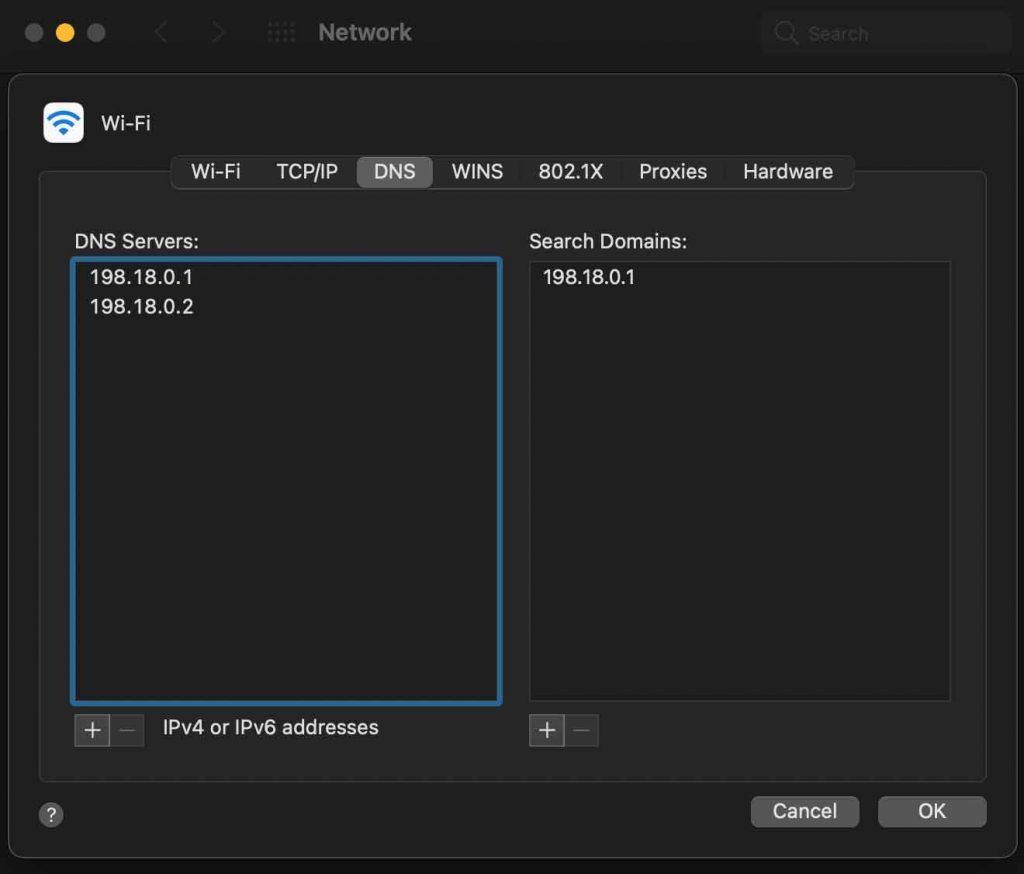
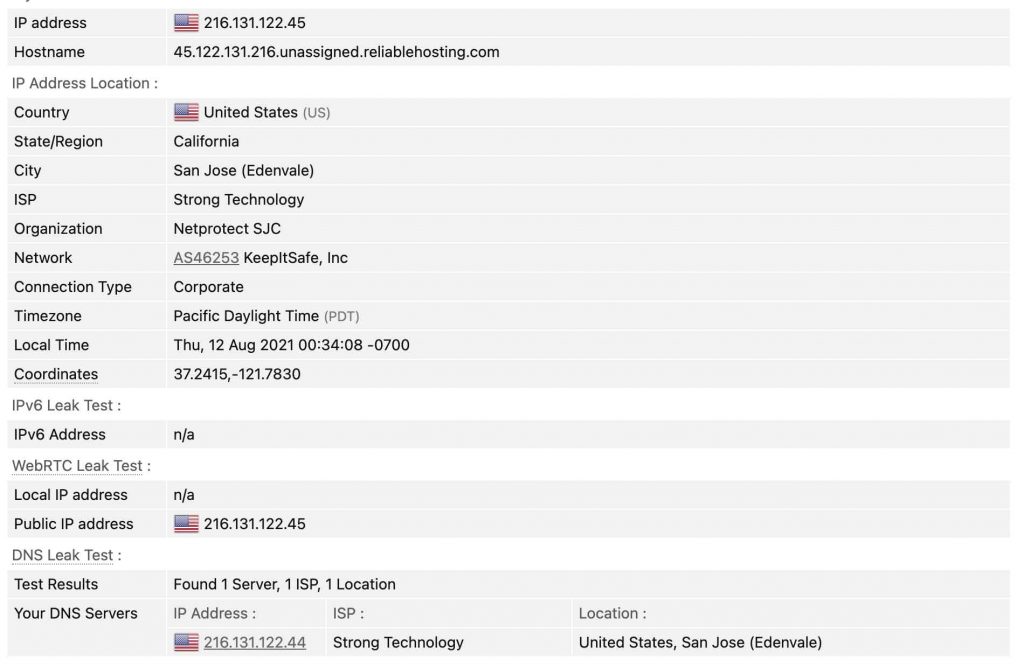
IPVanish failed the DNS check when we tested it from Melbourne in August 2021. Our IP address was hidden, but the leak test listed our own internet provider’s DNS servers. Entering IPVanish’s DNS server addresses by hand in the computer’s network settings fixed it, and the test came back clean.
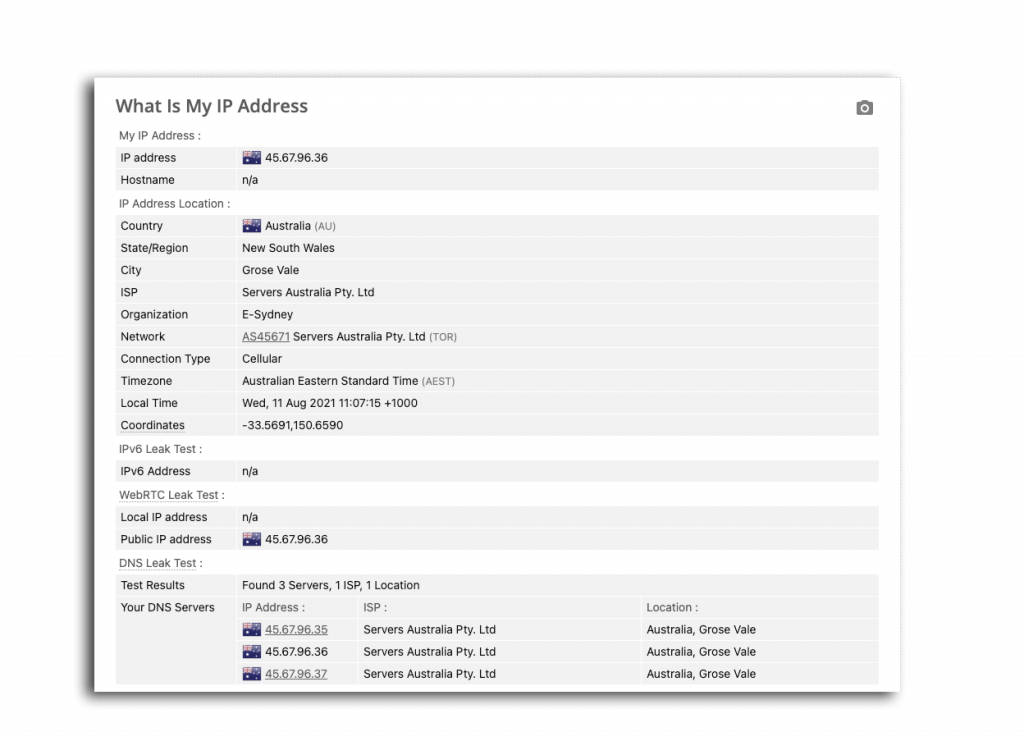
ExpressVPN passed the same check out of the box when we tested it in August 2021.
Both apps have changed since. Treat those results as a reason to run the test yourself, not as a verdict on today’s apps.
Test 5: speed
Run a speed test with the VPN off, then on a nearby server, on the same test site. Repeat it a few times, as results bounce around.
The table shows how much of our download speed each VPN kept on an Australian server, with each test date. If yours keeps far less than the VPNs near the top, try another protocol or a closer server before you blame the provider.
| VPN | Download, Australian server | Speed kept | Tested |
|---|---|---|---|
 Proton VPN Proton VPN | 49.6 Mbps | 99% | October 2026 |
 Surfshark Surfshark | 50 Mbps | 94% | October 2026 |
 CyberGhost CyberGhost | 99.6 Mbps | 93% | August 2021 |
 PureVPN PureVPN | 32.3 Mbps | 92% | October 2026 |
| NordVPN | 46.7 Mbps | 88% | October 2026 |
| ExpressVPN | 88.2 Mbps | 86% | August 2021 |
 Intego VPN Intego VPN | 33.9 Mbps | 84% | October 2026 |
| IPVanish | 83.2 Mbps | 77% | August 2021 |
 PrivateVPN PrivateVPN | 71.9 Mbps | 66% | August 2021 |
Our own measurements on a Melbourne home connection. "Speed kept" is the download speed with the VPN on, as a share of the same line's speed with it off, measured the same day; download figures depend on the line at the time, so compare that column. Proton VPN, Surfshark, PureVPN, NordVPN and Intego VPN are from our October 2026 retest; the others are from our original 2021–22 reviews and have not been retested yet. Tested on an account Proton VPN gave us free of charge (17–21 Oct 2026). Tested on an account Surfshark gave us free of charge (16–25 Oct 2026). Tested on an account PureVPN gave us free of charge (21 Oct 2026). Tested on an account Intego VPN gave us free of charge (22 Oct 2026).
If your VPN fails a test
- IP not changing: reconnect, try another server, then reinstall.
- DNS leak: look for a “DNS leak protection” or “use VPN DNS” setting, then ask support.
- WebRTC leak: enable leak protection or use the browser extension.
- Kill switch not working: check it is on, and whether it covers the whole system or only chosen apps.
- Still failing: ask for your money back. Among the VPNs we track that list a refund period, it runs 7 to 45 days. Our comparison shows each one.
FAQ
How do I know if my VPN is working?
Your IP address and location change when it is on, and a DNS leak test shows the VPN’s servers, not your internet provider’s.
How often should I test my VPN?
After installing it, after major app updates, and whenever you change a setting such as the protocol.
Does the kill switch protect me when I change servers?
Not always. Test it: PureVPN’s let our real address show during server switches in our October 2026 tests.
Can a VPN be detected?
Yes. Websites can often tell an address belongs to a VPN, which is how streaming services block them. It does not reveal who you are.